
Your first sale could come from one phone video.
TikTok Shop Philippines turns a short video or LIVE session into a shoppable moment, no separate website or marketplace listing required first. Setting up a Seller Center account is free, and most new sellers can list their first product the same day. This is your step-by-step guide to registering, listing, and getting your first order.
What You Will Need
Before you begin, have these ready:
- A smartphone with a working camera (for photos, videos, and TikTok LIVE)
- A TikTok account (your personal account works — you will link it to Seller Center)
- A valid Philippine government-issued ID (for seller verification)
- A GCash account or Philippine bank account to receive payouts
- At least one product with a name, description, and selling price ready
- Basic packaging supplies for your first order (poly mailer, tape, bubble wrap for fragile items)
Optional (not required to start, but worth doing once you are earning regularly):
- DTI Business Name Certificate (PHP 200 to 1,000 at bnrs.dti.gov.ph)
- A separate GCash account or bank account for business income only
- BIR registration once your shop is a regular source of income, per BIR’s rules on registering business income
Step 1: Confirm Your Product Is Allowed
Before you build anything, check TikTok Shop’s product category rules inside Seller Center during signup. Counterfeit goods, weapons, and certain health claims are banned outright. Food, cosmetics, and supplements are allowed but usually need extra documentation, since the Philippine FDA regulates those categories regardless of which platform you sell on.
If your product needs no special permit, you can move straight to registration. If it does, gather that documentation now so it does not stall your first listing later.
Step 2: Create Your TikTok Account and Open Seller Center
If you already use TikTok personally, you do not need a second account.
- Download the TikTok app from the App Store or Google Play if you have not already.
- From your profile, look for TikTok Shop or Become a Seller, or go to Seller Center directly on a laptop browser.
- Sign in with your existing TikTok account, or create one with your phone number.
- Choose whether you are registering as an individual seller (just a valid ID to start) or a business seller (unlocks more features once you are ready to formalize).
Individual registration is the faster path for a first product. You can upgrade to a business account later without starting over.

Step 3: Complete Seller Verification
Seller Center will ask for:
- A photo of your valid Philippine government ID
- A selfie for identity matching, in most cases
- Your phone number and email for account recovery
- Basic shop details: shop name, category, and a short description
Verification is usually reviewed within a short window, though TikTok does not commit to a fixed number of hours publicly, so check your Seller Center notifications rather than assuming a timeline. Use a shop name that is easy to spell and says what you sell — you can adjust your shop description later, but a confusing name loses buyers who search for you directly.
Step 4: Set Up Your Payout Method
Go to your account or wallet settings in Seller Center and link where your earnings should go.
- Add your GCash number or a supported Philippine bank account (BDO, BPI, UnionBank, Metrobank, and others).
- Complete TikTok’s payout verification, which may match your bank or GCash name against your submitted ID.
- Save your payout schedule settings.
TikTok Shop holds your balance until an order is confirmed delivered, then releases it on a rolling settlement cycle shown in your Seller Center wallet. Check that screen directly for your specific timeline rather than relying on a fixed number, since settlement terms can change.
Step 5: List Your First Product
In Seller Center, go to Products then Add Product and fill in each field.
Photos and video. Add at least three clear photos. A short 15 to 30 second video of the product in use often outperforms photos alone on TikTok Shop, since the platform is built around video discovery.
Product title. Include the product type and key features, not just a brand name. “Reusable Silicone Food Storage Bags Set of 6, Leakproof” ranks and converts better than “Storage Bags.”
Category. Pick the most accurate category. Your commission rate depends on category, and Seller Center shows you the exact rate for your selection before you publish.
Description. Cover size, materials, what is included, and anything a buyer would ask before buying. Specific descriptions cut down on returns and complaint chats.
Price. Build in your commission, payment processing fee, and packaging cost before you set your final price. Underpricing here is the single most common reason new sellers say TikTok Shop “isn’t profitable” in their first month.
Stock and variations. Enter real available stock. Add size or color variations if relevant, each with its own price and stock count.
Step 6: Set Up Shipping
Inside Seller Center’s shipping settings, you will select from the courier options available in your area rather than arranging your own courier contracts. Enter the accurate weight and dimensions when packed for every product — TikTok Shop calculates the shipping cost shown to buyers from these numbers, and if your real packed weight is higher than what you entered, you absorb the difference.
Check whether Cash on Delivery is available for your category and location. A large share of Filipino buyers outside Metro Manila prefer COD, so enabling it where available widens your buyer pool, even though it means accepting a small percentage of refused deliveries as a cost of doing business.
Step 7: Film Your First Video or Go LIVE
This is what separates TikTok Shop from a standard marketplace listing. A static product page rarely gets discovered on its own here — video and LIVE selling do the work.
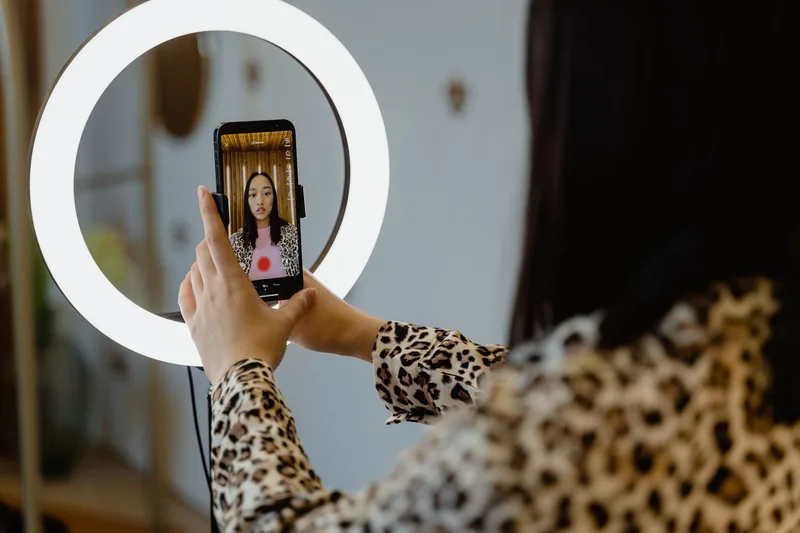
For your first video: film a 20 to 40 second clip showing the product being used, add the price as on-screen text, and tag the product so viewers can tap straight to checkout. Keep it casual. A phone camera in good lighting outperforms an overproduced ad on this platform.
When you are ready, try a short LIVE session. Show the product, answer questions from viewers in the comments in real time, and mention the price and any launch offer out loud every few minutes for viewers who just joined.
Step 8: Fulfill Your First Order
When an order comes in, Seller Center will show a shipping deadline countdown.
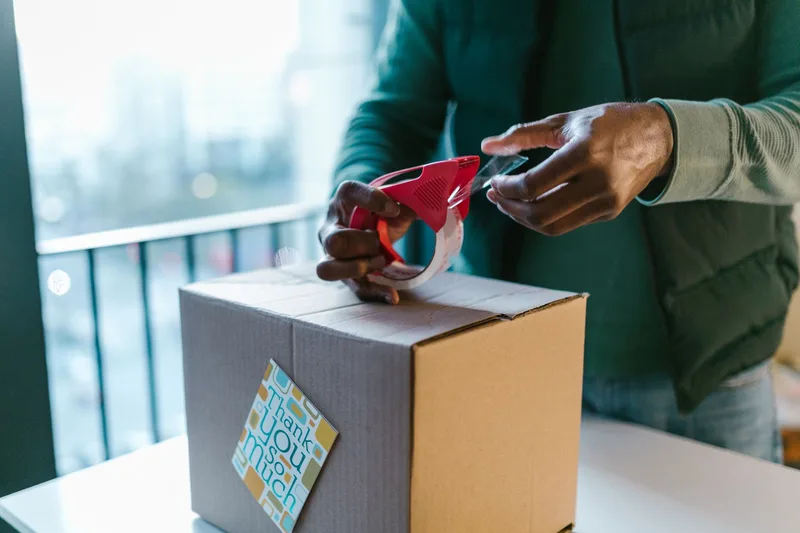
- Pack it securely. Bubble wrap for fragile items, a poly mailer for everything else. Write the buyer’s address clearly if you are hand-labeling.
- Print your waybill. In Seller Center, open the order and print the shipping label the assigned courier requires.
- Hand off to your courier. Drop off at the nearest branch or schedule a pickup if that option is available in Seller Center.
- Mark as shipped and enter the tracking number so the buyer can follow the delivery.
- Send a short update message. “Your order is on its way, tracking number [number]. Let me know if you have questions.” A buyer who gets a proactive update is more likely to leave a good review.
TikTok Shop vs. Shopee vs. Lazada: The Basics Compared
| TikTok Shop PH | Shopee PH | Lazada PH | |
|---|---|---|---|
| Primary discovery method | Short video and LIVE selling | Search and marketplace browsing | Search and marketplace browsing |
| Account needed | TikTok account | Shopee account | Lazada account |
| Individual seller allowed | Yes, with valid ID | Yes, with valid ID | Yes, with valid ID |
| DTI registration to start | Not required | Not required | Not required |
| Courier arrangement | Assigned within Seller Center | Shopee Supported Logistics program | Assigned logistics partners |
None of these platforms require a business registration on day one. All three expect you to formalize once you are earning regularly, per Philippine law on business income.
Common Mistakes New TikTok Shop Philippines Sellers Make
1. Treating It Like a Static Marketplace Listing
Uploading three photos and waiting rarely works here. TikTok’s discovery is built around video and LIVE content. A seller who posts one video a week outperforms one who never posts at all, even with a smaller catalog.
2. Skipping Registration Once You Are Earning Regularly
Selling without DTI or BIR registration is common for a first product, but it becomes a compliance risk once your shop generates consistent income. Register once you cross from “testing an idea” to “running a shop,” not after a tax notice arrives.
3. Underpricing Without Accounting for Fees
Commission, payment processing fees, and packaging all come out of your selling price. Sellers who price only against their product cost often discover they are losing money on their best-seller only after running the numbers properly.
4. Ignoring Category Restrictions
Food, cosmetics, and supplement categories usually need extra documentation on any Philippine marketplace, TikTok Shop included. Confirm this before you invest in packaging and inventory, not after your listing gets rejected.
5. Never Checking the Payout Timeline
New sellers sometimes assume money lands the day a buyer pays. TikTok Shop holds funds until delivery is confirmed, then releases them on a rolling schedule shown in your Seller Center wallet. Check that screen so cash flow surprises do not catch you mid-restock.
Frequently Asked Questions
Is it free to sell on TikTok Shop Philippines?
Yes. Creating a TikTok Shop Seller Center account and listing products cost nothing. TikTok Shop charges a commission fee that varies by product category, shown in your Seller Center dashboard before you publish a listing, plus a payment processing fee on each sale. You pay nothing until you make a sale.
How much commission does TikTok Shop Philippines charge sellers?
The rate depends on your product category and any active promotional rate on your account. TikTok Shop shows the exact commission for each category inside Seller Center before you publish a listing, since it adjusts these rates periodically. Always check the current rate there before setting your price, not from an old screenshot or forum post.
Do I need DTI registration to sell on TikTok Shop Philippines?
No, not to start. You can register as an individual seller with a valid ID. But once your shop earns regular income, Philippine law requires registering as a business. DTI business name registration costs PHP 200 to 1,000 for sole proprietors and can be done online at bnrs.dti.gov.ph in about 15 minutes.
How do I get my first sale on TikTok Shop Philippines?
Post a short, casual video showing your product in use, with the price on screen and the Shop tab tagged so viewers can buy without leaving the app. Share the video link to your Facebook and Viber contacts too. Sellers who post consistently for their first two weeks see faster traction than those who post once and wait.
Can I sell on TikTok Shop Philippines without doing LIVE selling?
Yes. You can sell through your product showcase and shoppable videos alone, similar to a standard marketplace listing. LIVE selling is TikTok Shop’s strongest sales driver because it lets buyers ask questions in real time, but it is not required to list products, take orders, or get paid.
You Just Listed Your First Product
Your Seller Center account is verified. Your first product is live. When your first order comes in, you already know exactly what to do next.
Most aspiring sellers spend weeks thinking about starting before they film a single video. You have a working shop instead. From here: post consistently, try your first LIVE session once you have a few sales under your belt, and track your margins so you know your real profit per order.
If you want the fuller picture on registration, sourcing, and choosing between platforms, read our guide to starting a full online business in the Philippines. And if TikTok Shop is one of several platforms you are considering, our Shopee Philippines selling guide walks through the marketplace alternative in the same detail.