
Your first Lazada store can be live within the hour.
Lazada is one of the two biggest online marketplaces in the Philippines, and it courts new sellers hard: 0 percent commission for your first 90 days, free ads credit, and a sign-up flow built for people who have never sold online before. This is your step-by-step guide to getting your shop live and landing your first order.

What You Will Need
Before you begin, have these ready:
- A smartphone or laptop with a stable internet connection
- A valid Philippine phone number (for account verification)
- A valid government ID (for identity verification)
- At least one product photo (a clear phone photo works)
- Your product name, description, and selling price
- A GCash account or Philippine bank account to receive payouts
- Basic packaging materials: boxes or poly mailers, tape, bubble wrap for fragile items
Optional (not required to start, but recommended once you are earning regularly):
- DTI business name registration (PHP 200 to 1,000 at bnrs.dti.gov.ph)
- A separate GCash or bank account for business income only
Step 1: Register Your Lazada Seller Account
Go to sellercenter.lazada.com.ph on your laptop, or download the Lazada Seller Center app.
- Tap Create your Lazada Store now.
- Enter your Philippine phone number (+63) and choose SMS or voice call to receive your OTP.
- Enter the OTP and set a password.
- Confirm you are registering as a local Philippine seller, not a LazGlobal cross-border seller.
This step takes about 2 minutes, per Lazada Seller Center’s own onboarding flow.
Step 2: Complete Your Seller Profile
Once your phone number is verified, Lazada asks for two more things before you can list products.
Email and address. Fill in your email and your pickup or return address. This is where couriers will collect your parcels, so use an address you can actually access on a regular basis. This step is quick, around 1 minute.
Identity and payout verification. Submit your documents so Lazada can verify who you are:
- Individual sellers: a valid ID (passport, driver’s license, or national ID) and a bank document (passbook photo or bank statement).
- Corporate sellers: business registration or tax documents plus a bank document.
Lazada reviews this within about 10 minutes during business hours, per Lazada Seller Center.

Profile submitted. While Lazada verifies your documents, set up your shop details.
Step 3: Set Up Your Shop Profile
In Seller Center, go to Shop then Shop Profile to build out your storefront.
Shop name. Something memorable and related to what you sell. Buyers search Lazada by shop name too, so avoid anything too generic.
Shop logo and banner. A shop with a real logo, even a simple one, looks more trustworthy than a blank placeholder. Your banner is the first thing buyers see when they land on your store page.
Shop description. Two or three sentences on what you sell and why a buyer should choose you. Be specific: “We sell handmade resin jewelry, shipped from Cebu within 24 hours.”
Warehouse address. This is separate from your personal address if you want it to be, and it determines your default pickup location for couriers.
Shop profile complete. Now list your first product.
Step 4: List Your First Product
In Seller Center, go to Products then Add Products and fill in each field carefully. A live imperfect listing earns sales. A perfect draft sitting unpublished earns nothing.
Photos. At least 3 clear images. Main image on a plain background, additional shots showing the product in use and close-up detail. Lazada allows several photos per listing, check the current maximum in Seller Center and use as many as you have.
Product title. Include the product type and key search terms a buyer would type. “Korean Cushion Foundation SPF50 Lightweight Natural Finish” performs better in search than “Foundation.”
Category. Pick the most accurate category available. Your commission rate and any category-specific requirements depend on this choice.
Description. List dimensions, materials, what is included in the package, and anything a buyer would ask before ordering. Detailed descriptions reduce cancellations and returns.
Price. Factor in Lazada’s commission once your 90-day 0 percent window ends, plus packaging and any shipping contribution you plan to absorb.
Stock quantity. Enter your actual available units. Cancelling orders due to no stock hurts your seller rating.
Variations. Add size, color, or other variants here if applicable, each with its own price and stock count.
Publish. Submit for review. Most listings go live within a few hours.

Step 5: Set Up Logistics and Payment
Go to Settings then Logistics and Payment to finish your shop configuration.
Logistics
Lazada routes deliveries through its own network, Lazada Logistics (LEL), along with partner couriers including Ninja Van, J&T Express, and Entrego. You do not need to open a separate account with any courier. For every product you list, enter the accurate weight and dimensions when packed. This is what Lazada uses to calculate the shipping fee shown to buyers.
Enable Cash on Delivery (COD). A significant share of Filipino buyers outside Metro Manila prefer to pay on delivery, and disabling COD cuts you off from a large part of the market.
Payment
Lazada collects payment from buyers and holds it in your Lazada Wallet until the order is confirmed delivered or the return window closes.
- Go to Settings then Bank Account.
- Add your GCash number or Philippine bank account details.
- Complete verification so Lazada can process withdrawals.
You then request a withdrawal from your Lazada Wallet to your linked account whenever you want your earnings transferred out.
Step 6: Use Your New-Seller Benefits to Get Your First Order
Lazada front-loads incentives for new sellers to help them get moving, per Lazada Seller Center’s published new-seller program:
- 0 percent platform commission for your first 90 days.
- PHP 1,200 in ads credit to boost your listings in search.
- 0 percent commission on one campaign voucher, which lets you run a discount without losing margin to fees.
- Free onboarding support through Lazada University, including video courses on listings, fulfillment, and policy.
Stack these with your own outreach:
Facebook and TikTok. Share your product link and a short honest video in local buy-and-sell groups and your own page.
Launch voucher. Use My Vouchers in Seller Center to set a small discount. It costs little and builds your first reviews faster.
Campaign enrollment. Join upcoming Lazada campaigns (Payday Sale, 9.9, 11.11) for free exposure to buyers already shopping.

Lazada reports that 70 percent of new sellers make their first sale within 4 weeks. Your 90-day commission-free window gives you room to test pricing without losing margin to fees while you find what sells.
Step 7: Pack and Ship Your First Order
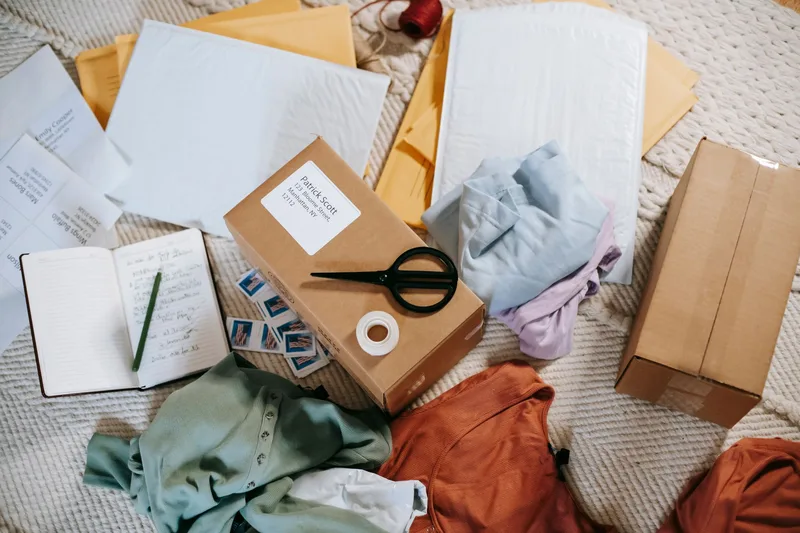
- Pack the product securely. Bubble wrap for anything fragile, a sturdy box or poly mailer for everything else. Write or print the buyer’s address clearly.
- Print your shipping label. In Seller Center, open the order under Orders, then print the Lazada shipping label. Tape it firmly to the package.
- Hand off to the courier. Schedule a pickup through Seller Center, or drop the package at a nearby Lazada or partner courier hub.
- Mark as shipped. Update the order status in Seller Center once the courier has your package.
- Message the buyer. A short note like “Your order has shipped with [courier]. Let me know if you have any questions” takes seconds and cuts down on follow-up messages.
Common Mistakes New Lazada Philippines Sellers Make
1. Not Enabling COD
Cash on delivery is how many Filipino buyers, especially outside Metro Manila, prefer to pay. Turning it off to avoid the occasional refused delivery shrinks your buyer pool more than it saves you.
2. Wasting the 90-Day Commission-Free Window
New sellers get 0 percent platform commission for 90 days, per Lazada’s new-seller program. Sellers who spend that window perfecting a listing instead of publishing it lose free margin they cannot get back. List early, improve later.
3. Entering Inaccurate Package Weight
Lazada calculates the buyer-facing shipping fee from the weight and dimensions you enter per listing. If your actual packed weight runs higher, you absorb the difference. Weigh your packaging before listing, not after your first shipment surprises you.
4. Using a Blank or Generic Shop Profile
A shop with no logo, no banner, and a one-line description reads as unfinished to a buyer comparing options. Filling in your shop profile properly takes minutes and directly affects whether a first-time visitor trusts you enough to buy.
5. Ignoring the Free Ads Credit
New sellers receive PHP 1,200 in ads credit as part of the onboarding benefits. Many never activate it. Check Marketing in Seller Center during your first week and put that credit behind your best-performing listing.
Frequently Asked Questions
Is it free to sell on Lazada Philippines?
Yes. Creating a Lazada seller account and listing products cost nothing. New sellers also get 0 percent platform commission for their first 90 days, per Lazada Seller Center’s new-seller program. After that window, commission is charged per category, so check the current rate for your product type inside Seller Center.
How does Lazada pay sellers in the Philippines?
Lazada releases order payments into your Lazada Wallet after the buyer confirms receipt or the return window closes. From your wallet, you request a withdrawal to a linked Philippine bank account or GCash. You add and verify this payout account during onboarding, per Lazada’s seller registration flow.
Do I need DTI registration to sell on Lazada Philippines?
No, not to open your first shop. Individual sellers can register with just a valid ID and a bank account. But once you are earning regularly, registering a business name with DTI is required under Philippine law. DTI registration costs PHP 200 to 1,000 for sole proprietors and can be completed online at bnrs.dti.gov.ph.
What logistics options does Lazada Philippines offer sellers?
Lazada Philippines routes orders through its own network, Lazada Logistics (LEL), plus partner couriers such as Ninja Van, J&T Express, and Entrego. Sellers do not need to arrange their own courier accounts. You pack the order and either schedule a pickup or drop it at a listed hub, and Lazada handles the rest.
How do I get my first sale on Lazada Philippines?
New sellers get 0 percent commission for 90 days and PHP 1,200 in ads credit, per Lazada’s new-seller benefits. Use that window to price competitively, join a launch campaign for free visibility, and share your store link on Facebook and TikTok. Lazada reports 70 percent of new sellers make a sale within their first 4 weeks.
You Are Now a Lazada Seller
Your shop is live, your first product is listed, and your commission-free window is running. When your first order lands, you know exactly what to do next.
Before your 90 days run out, use our profit margin calculator to check that your pricing still works once standard commission kicks in.
From here: list more products while ads credit lasts, collect your first reviews, and decide whether Lazada alone is enough or whether it is time to read our guide to starting a full online business in the Philippines for the bigger picture on registration, sourcing, and running more than one channel. Comparing platforms first? Our Shopee Philippines seller guide walks through the country’s other major marketplace.