
You can’t fill in Form 2303. That surprises most new sellers.
It is the certificate BIR issues after your BIR Form 2303 online application is approved. The good news: the application now happens online, and you can start tonight with a laptop and a few scanned documents.
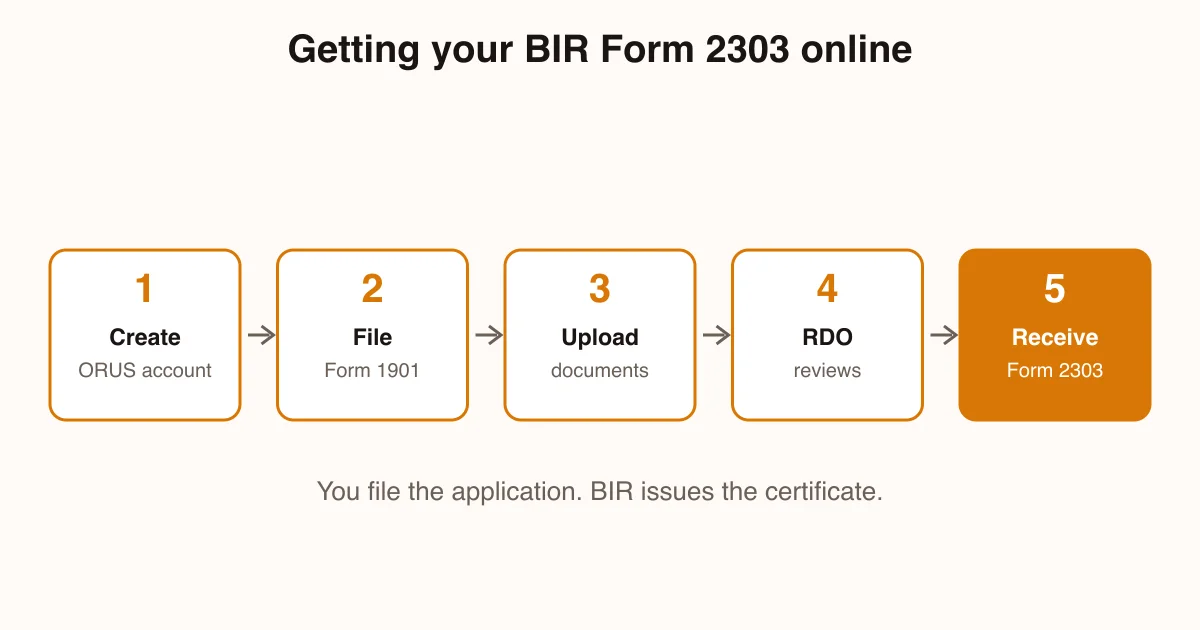
BIR Form 2303 is the Certificate of Registration (COR) issued by the Bureau of Internal Revenue to a taxpayer who has registered a business. It lists your TIN, your Revenue District Office (RDO) and the taxes you must file. The “online application” is really the registration application: for a sole proprietor, that is Form 1901 filed through BIR’s Online Registration and Update System (ORUS).
One honest note first. We are not accountants, and we could not check BIR’s own pages ourselves: bir.gov.ph loads through scripts our research reader cannot read, and the ORUS portal blocked it. So the rules below come from news reports and tax-guide sites, each linked, and we flag what we could not confirm. Before you pay or file anything, ask your RDO.
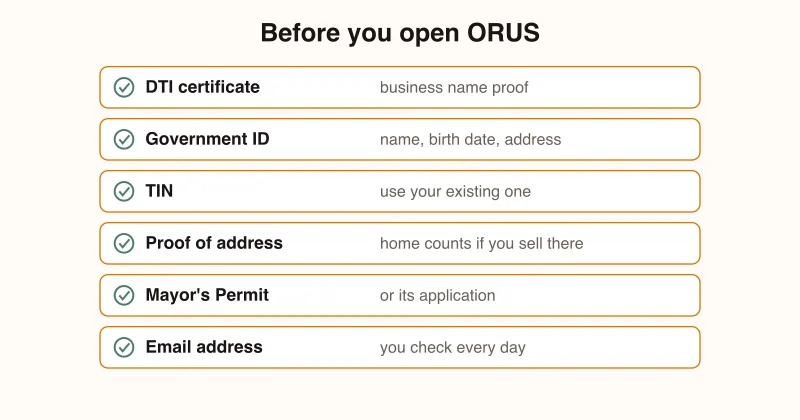
What You’ll Need
Scan or photograph everything before you start. A clear phone photo saved as PDF or JPG is fine.
- Your DTI Certificate of Business Name Registration. Not done yet? Follow our DTI online registration guide first.
- A valid government ID showing your full name, birth date and address.
- Your existing TIN, if you have one. If you ever had a job, you already have a TIN. Never apply for a second.
- Proof of business address. Selling from home counts: your home is your business address.
- Your Mayor’s Permit or its application, if your city asks for it.
- An email address you check daily. Verification links and approvals arrive there.
Three BIR forms get mixed up all the time. Here is what each one does:
| Form | What it is | When you meet it | Source |
|---|---|---|---|
| 1901 | The registration application for self-employed and mixed-income individuals | Before you are registered | Pinoy Guides |
| 2303 | The Certificate of Registration BIR issues | After approval | Pinoy Guides |
| 1905 | The update form for changes to your registration, such as a new tax option | Any time your details change | Taxify |
Step 1: Confirm You Need a Form 2303
If you sell on Shopee, Lazada, TikTok Shop or your own website as a regular activity, you are running a business. That means you register as a sole proprietor, even if you keep a day job. BIR calls you a mixed-income earner in that case, and the same Form 1901 covers you (Pinoy Guides).
One thing speeds this up. Register your business name with DTI first, because Form 1901 asks for your DTI certificate or your Mayor’s Permit (or its application).
Step 2: Check Your TIN Before You Start
Look for any TIN you have ever received, from a past employer’s payslip or an old BIR card. If you have one, the business gets added to that record. A new TIN would create two records for BIR to merge.
Not sure? Ask your RDO before you open the portal. It is a short question and it saves a messy cleanup later.
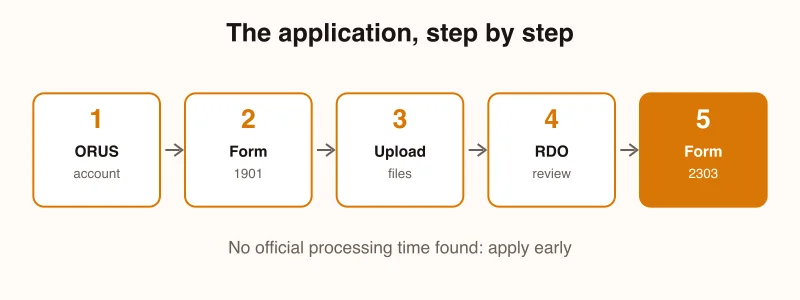
Step 3: Open ORUS and File Form 1901
Go to orus.bir.gov.ph, make an account with your email, and choose the option to register as a self-employed individual or single proprietor. Then fill in your name exactly as on your ID, your business name exactly as on your DTI certificate, your line of business and your address.
Your address decides your RDO, the BIR office that handles your account. For a single location, you register with the RDO covering that address (Pinoy Guides).
We could not open ORUS, so screen names may differ from ours. Follow the wording on screen, and use our longer BIR business registration online guide as a second reference.
Halfway there. Wondering if the rest of your shop is ready too? Take the free StoreStarter readiness scorecard. Twelve quick questions, free, and you’ll see which step to work on next.
Step 4: Pick Your Tax Option Carefully
The registration asks how you want to be taxed, and your answer ends up printed on your Form 2303. Small non-VAT sellers usually choose between a flat income tax on gross sales and graduated rates plus percentage tax. We explain both in the full ORUS guide.
If you skip the choice, you default to graduated rates for the year. Taxify says you can elect the 8% flat option on Form 1905, on your first 2551Q or on your first 1701Q of the year (Taxify). We could not check this against BIR’s own text, so confirm it with your RDO. Still, deciding at registration is cleaner.
Step 5: Submit, Then Follow Up With Your RDO
Upload your files, check that the names match on every document, and submit. Write down any reference number you see.
Your RDO reviews the application. We found no official processing time, so apply well before you need the certificate. If the RDO asks for extra papers or an in-person visit, do it quickly.
On the traditional paper route, Pinoy Guides says new registrants also attend a taxpayer’s briefing, then collect the Form 2303, an “Ask for a Receipt” notice and, if needed, an Authority to Print (Pinoy Guides). Ask which of these your RDO handles online.
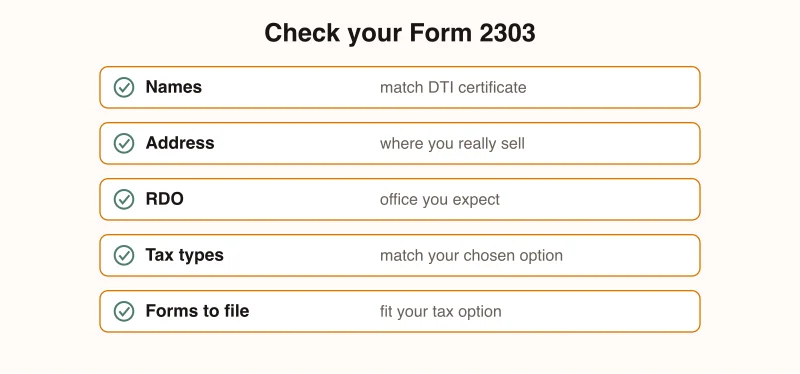
Step 6: Check Every Line of Your Form 2303
When your certificate arrives, read it slowly. Most problems are easy to fix in the first week and annoying in the first year.
Check these five things:
- Your name and business name match your DTI certificate.
- Your business address is correct.
- The RDO is the office you expect.
- The tax types match the option you chose.
- The filing forms listed make sense for your tax option.
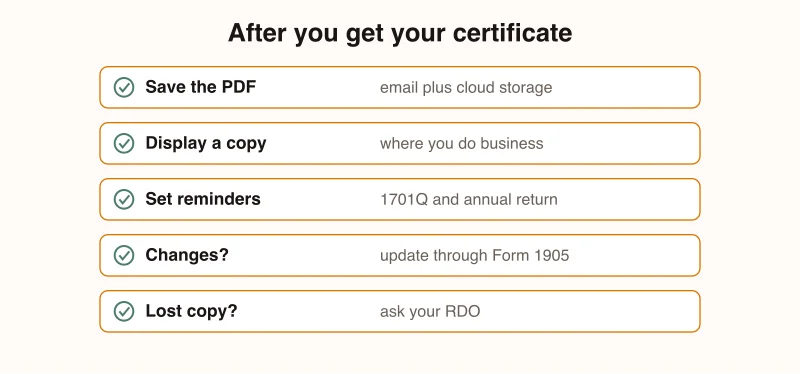
If something is wrong, take it to your RDO and ask for an update through Form 1905.
Step 7: Use and Protect Your Certificate
Save the PDF in two places: your email and cloud storage. Print one copy and display it where you do business, next to the “Ask for a Receipt” notice. Pinoy Guides lists that display as a post-registration duty and says to treat the 2303 as your reference for returns and deadlines (Pinoy Guides).
Now set filing reminders. Taxify lists 1701Q for 15 May, 15 August and 15 November, with the annual return on 15 April (Taxify 1701Q calendar). Sellers on graduated rates also file Form 2551Q by the 25th day after each quarter (Taxify 2551Q calendar).
A lost certificate is not a disaster. BIR said business certificates can be updated or replaced at the RDO at your own convenience (DZRH, January 2024).
Common Mistakes
1. Looking for a Blank Form 2303
There is no blank form to download and fill in. If a site offers one, be careful: you are on the wrong path. File Form 1901, and the certificate follows.
2. Paying the Old PHP 500 Fee
Some fixers and older guides still mention the annual registration fee. DZRH reported that BIR would stop collecting it from 22 January 2024 (DZRH). We could not read BIR’s own advisory, so if someone asks you to pay it, ask to see the rule and check with your RDO.
3. Not Checking the Tax Types
A wrong tax type means you file the wrong return. Compare the certificate with the tax option you chose before you close the email.
4. Registering and Then Never Filing
Registration starts your filing duties, even in a slow quarter. Taxify’s summary of the late-filing penalties for the 1701Q lists a 25% surcharge and 12% annual interest, plus a compromise penalty of PHP 200 to PHP 50,000 (Taxify). Check the current amounts with your RDO.
5. Ignoring Platform Withholding
Philstar reported in December 2023 that BIR’s new rules have online platforms withhold part of seller payouts, with an exemption for smaller sellers (Philstar, December 2023). We could not confirm the exact rule in BIR’s own text. Ask your RDO whether it applies to you, and keep your payout records so you can reconcile them against your returns.
Frequently Asked Questions
How do I apply for BIR Form 2303 online?
You don’t apply for Form 2303 directly. You file the registration application, Form 1901 for a sole proprietor, through BIR’s ORUS portal and upload your documents. Once your Revenue District Office approves it, BIR issues the Form 2303 Certificate of Registration. The portal blocked our reader, so confirm the screens with your RDO.
Is BIR Form 2303 the same as Form 1901?
No. Form 1901 is the application you submit to register as a self-employed individual or sole proprietor. Form 2303 is the Certificate of Registration BIR gives you afterwards. Pinoy Guides’ registration guide lists the 2303 among the documents you collect once registration is complete.
How much does a BIR Form 2303 cost?
The PHP 500 annual registration fee was dropped from 22 January 2024, and BIR said existing certificates stay valid. A 2023 guide listed PHP 15 documentary stamp tax and PHP 15 certification fee for registration, but we found no newer source, so ask your RDO what applies today.
What if I lose my BIR Form 2303?
Ask the Revenue District Office where you are registered. BIR’s January 2024 advisory said business certificates of registration can be updated or replaced at the RDO at the taxpayer’s convenience. We found no official step-by-step for replacement, so bring your ID and TIN and ask the officer what they need.
Do Shopee and Lazada sellers need a Form 2303?
If you sell regularly, you run a business, so you register and receive one. Online platforms also withhold 1 percent of one-half of a seller’s gross remittances under BIR’s 2023 rules, per the Philstar report. Sellers at or under PHP 250,000 a year are not covered but must tell each platform.
You Have Your Certificate. What’s Next?
A Form 2303 in your inbox means your store is a registered business. Plenty of sellers put this off for months. You didn’t.
Now go back to the part that earns money. If your shop is not live yet, follow our Shopee seller registration guide. If it is, your next milestone is your first online sale.